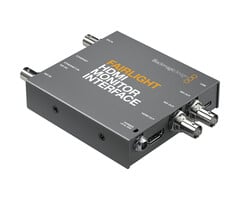



Blackmagic Design Fairlight HDMI Monitor Interface



Blackmagic Design B.V., Rijnlanderweg 766 D, 2132NM Hoofddorp
Features
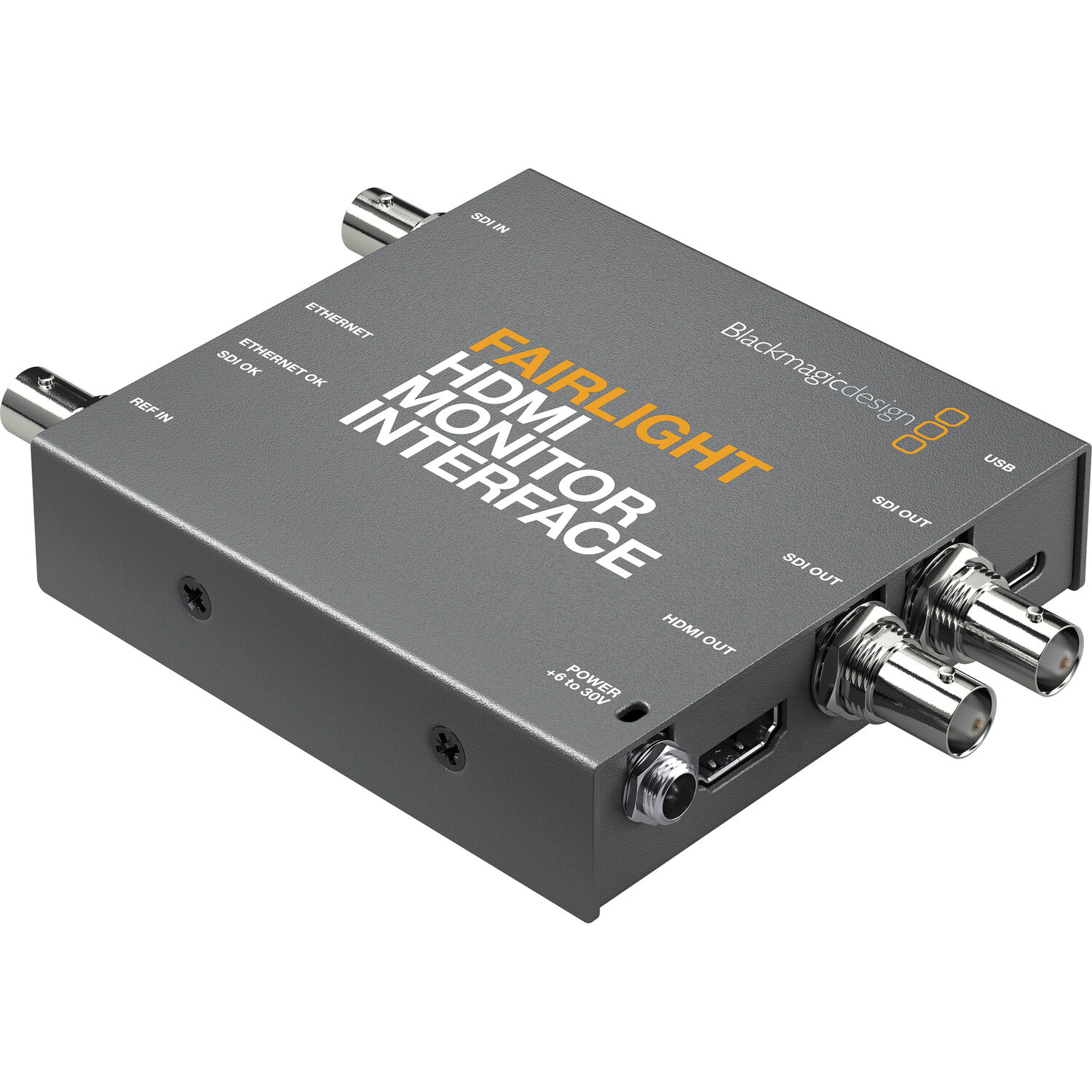
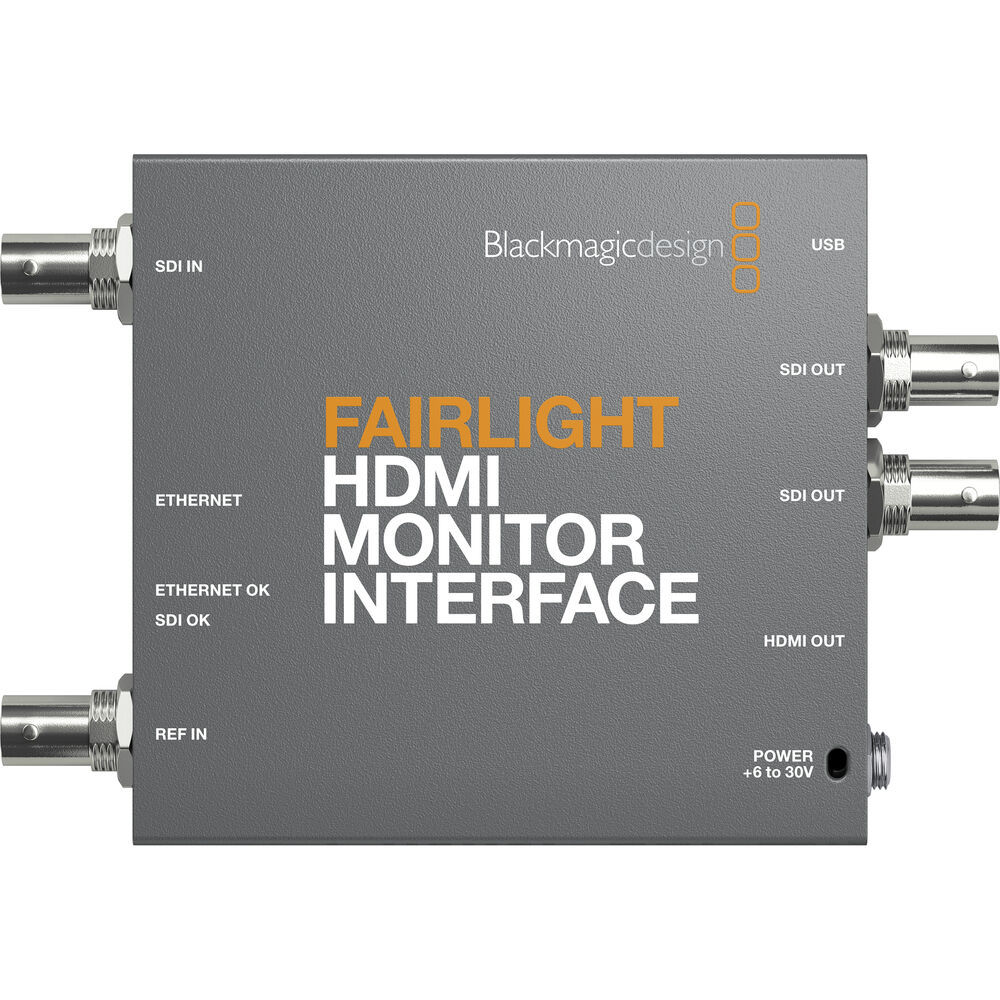
The Blackmagic Design Fairlight HDMI Monitor Interface from Blackmagic Design enables the integration of standard HDMI monitors into a Fairlight console workflow. This compact converter converts Ethernet data from a Fairlight Console Channel Control into an HDMI video signal for real-time graphical feedback and monitoring.
Additionally, the interface supports SDI video inputs for video preview and precise lip-sync control during editing and post-production.
Converts Fairlight Ethernet data to HDMI video
Compatible with standard HDMI monitors
Supports real-time Fairlight graphic feedback
SDI input for video preview and lip-sync control
Dual 3G-SDI outputs for external monitoring
Compact design for easy mounting behind displays
Status LEDs for quick signal check
USB-C for configuration and firmware updates
Includes external 12V power supply with international adapters
Operation
The Fairlight HDMI Monitor Interface is placed between a Fairlight Console Channel Control and an HDMI monitor.
The interface converts the Ethernet data from the Fairlight console into a standard HDMI signal, so that channel information, processing, and real-time graphical feedback become visible on an external screen.
Via the integrated SDI input, a video source can also be displayed for:
lip-sync control
video preview
monitoring during editing
control of image and audio during post-production
The SDI outputs mirror the HDMI signal, allowing external SDI monitors to be connected as well.
Application
The Blackmagic Design Fairlight HDMI Monitor Interface is ideal for:
Custom Fairlight console setups
Professional audio studios
Broadcast audio workflows
Film and television post-production
Lip-sync check during editing
HDMI monitor integration within Fairlight systems
Compact editing and mixing environments
Key features
HDMI monitor support
Makes standard HDMI displays compatible with Fairlight console workflows.
Real-time graphical feedback
Displays channel status, processing, and mixer information directly on external monitors.
SDI video monitoring
Supports video previewing for accurate synchronization control.
Compact design
Can be placed discreetly behind a monitor for a neat installation.
Dual SDI outputs
Suitable for both local and remote SDI monitoring.
Simple configuration
Firmware updates and configuration are handled via USB-C.
Limits
Only compatible within Fairlight console workflows
Not a standalone video converter for general use
Supports up to 1080p video formats
No support for UHD or 4K video
No touchscreen or local controls
No wireless connectivity
No reclocking support
Requires external power supply
No built-in recording or processing functionality
Blackmagic Design Fairlight HDMI Monitor Interface
12V Power supply
1x RJ45 Ethernet
1x 3G-SDI BNC input
2x 3G-SDI BNC outputs
1x HDMI output
1x Reference BNC input
1x USB-C for firmware and configuration
1080p23.98
1080p24
1080p25
1080p29.97
1080p30
1080p50
1080p59.94
1080p60
1080i50
1080i59.94
1080i60
1080p up to 60 fps
10-bit 4:2:2 YUV
SMPTE 259M
SMPTE 292M
SMPTE 296M
SMPTE 424M-B
SMPTE 425M-A/B
6–30V DC input
Power consumption: 6W
Includes external 12V power supply
International plug adapters included
No wireless connectivity
No reclocking support
Status LEDs for Ethernet and SDI signal control
13.41 x 9.22 x 2.29 cm
Weight: 230 grams